Approval Workflows: How to Build Sign-Off Into the Work, Not the Inbox
August 20, 2026
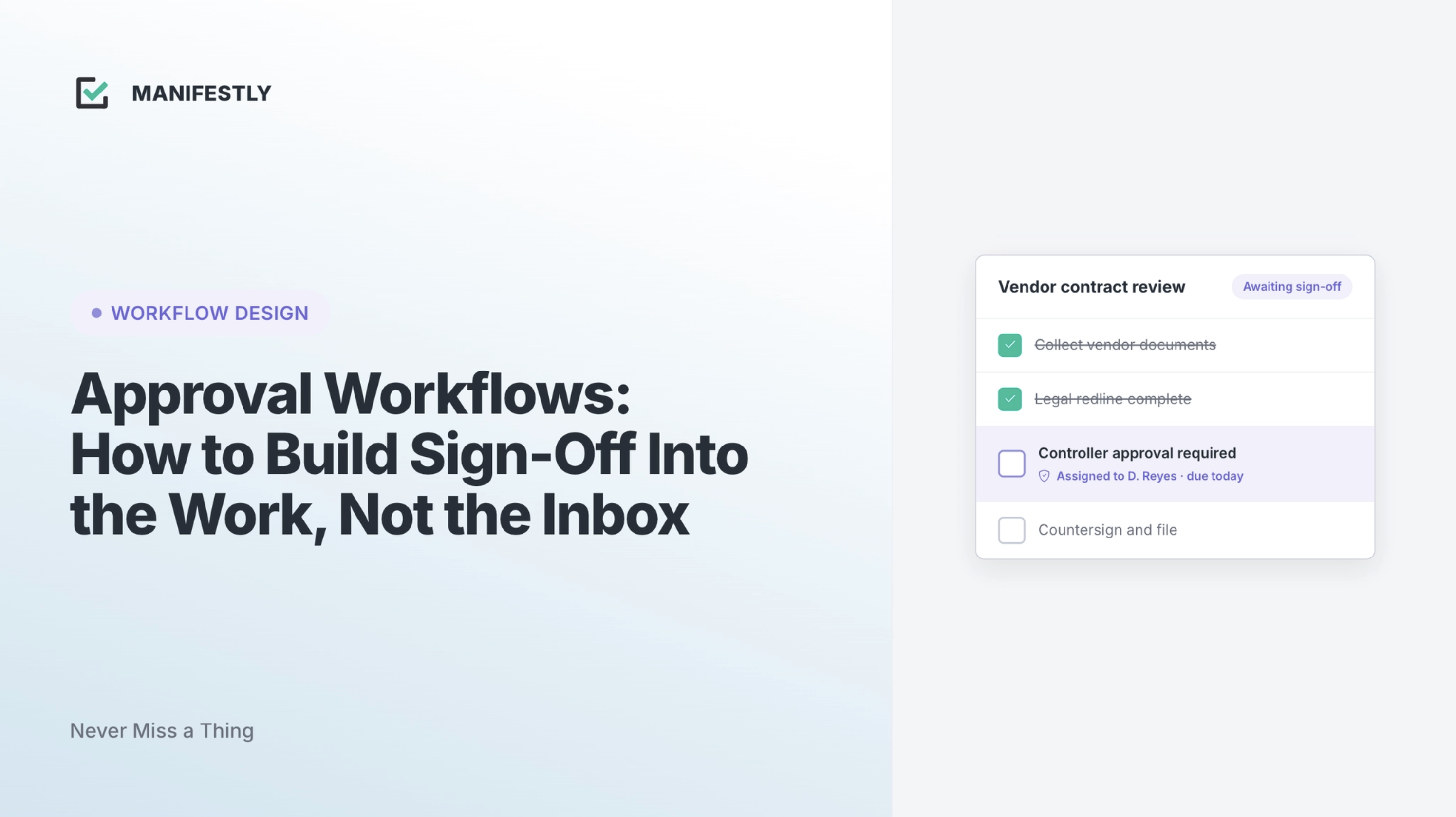
Approvals are now live in Manifestly. You can drop a required sign-off into any workflow, assign it to the person who owns the decision, and keep the whole thing on the record. That is the latest feature in Manifestly. The more useful part is why a real approval workflow beats the way most teams still handle sign-off today, which is an email, a hope, and a manager chasing a reply.
If your team runs recurring work where someone has to say yes before the next step happens, this is for you.
What is an approval workflow?
An approval workflow is a defined path a request or a piece of work follows to be reviewed and signed off by the right person before it can move forward. Instead of an ad hoc email asking “can you approve this?”, the sign-off is a real step in the process, owned by a named person, that waits for a decision and records the outcome. A good one makes three things certain: who owns the decision, whether the work can proceed, and what was decided and when.
The distinction that matters: a task says who does the work. An approval says who owns the decision to let that work continue. Those are different jobs, and treating an approval like just another checkbox is where most processes break.
Why email and spreadsheets fall apart as an approval process
Most teams already have the process written down. The gap is in running it. Sign-off is where that gap shows up most, because it depends on a person, and people are busy.
Handled over email and spreadsheets, approvals fail in predictable ways. The request gets buried in a thread and forgotten. Nobody is sure who actually owns the decision, so it sits. Work advances on a verbal “looks good” that leaves no trace. And when an auditor or a manager later asks who approved it, the answer is a search through inboxes that may not turn anything up. The manager becomes the human reminder system, pinging people to find out whether the thing they needed was ever signed off.
None of this is a discipline problem. It is a design problem. If the process does not make sign-off explicit, owned, and recorded, it will keep slipping no matter how many reminders you send.
What a real approval workflow needs
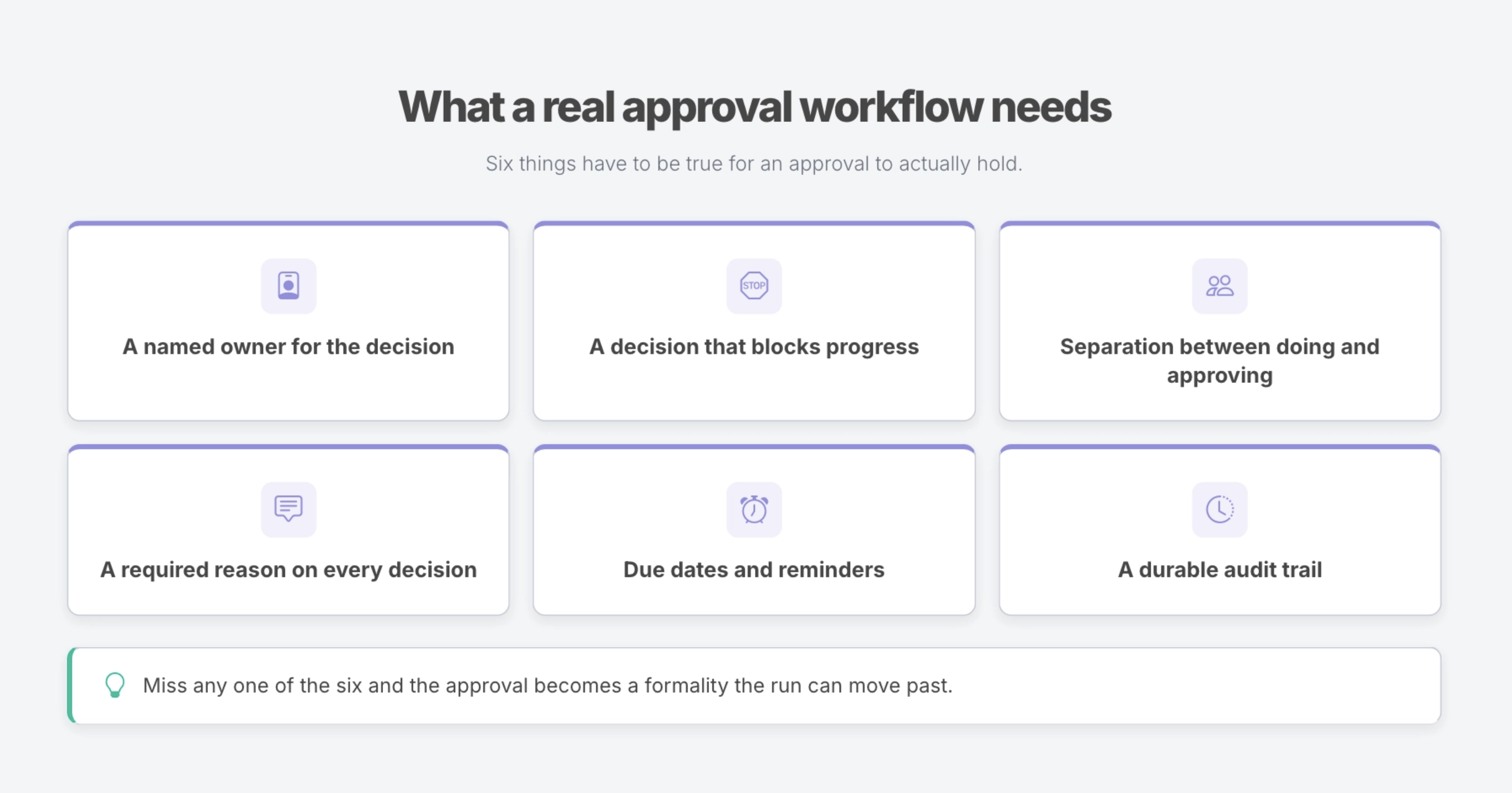
Strip away the category noise and an approval workflow needs six things to actually hold:
A named owner for the decision, so it has someone accountable instead of a general hope that “someone” handles it.
A decision that blocks progress, so work cannot quietly move past a sign-off that never happened.
A separation between doing and approving, so whoever did the work is not the one who signs off on it, and the check is a real one.
A required reason on every decision, so both a yes and a no leave a record of why, not just a bounce.
Due dates and reminders, so the approval is prioritized and does not stall the run.
And a durable audit trail, so every decision is timestamped and attributed and can be pulled up later without a scramble.
Plenty of tools cover the first few. The last one, a per-run record built to stand up to a review, is where most fall short, and it is the one that matters most for the teams who run approvals, because proof is part of the job.
How approvals work in Manifestly
Approvals in Manifestly are a step inside the work, not a separate tool bolted alongside it.
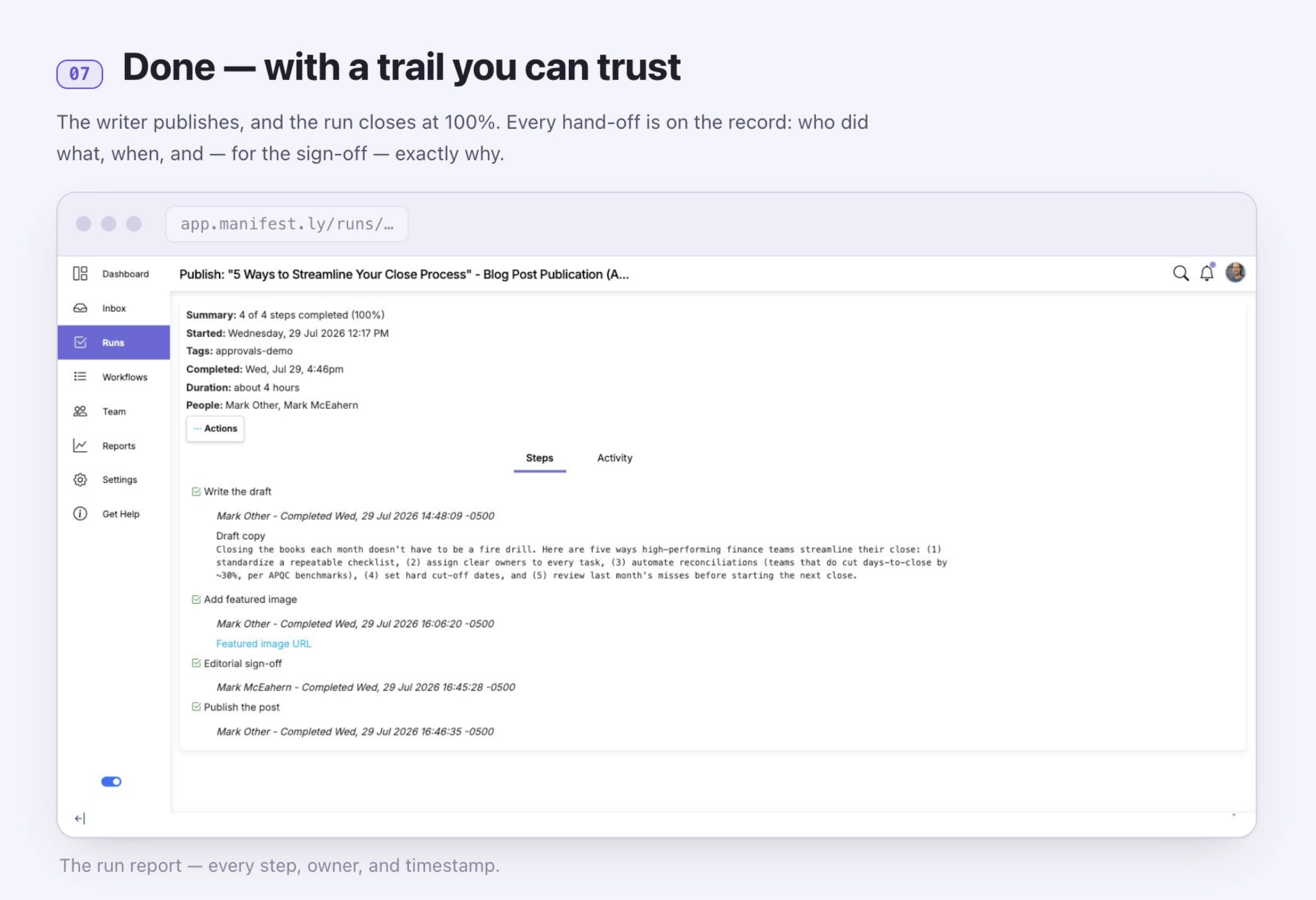
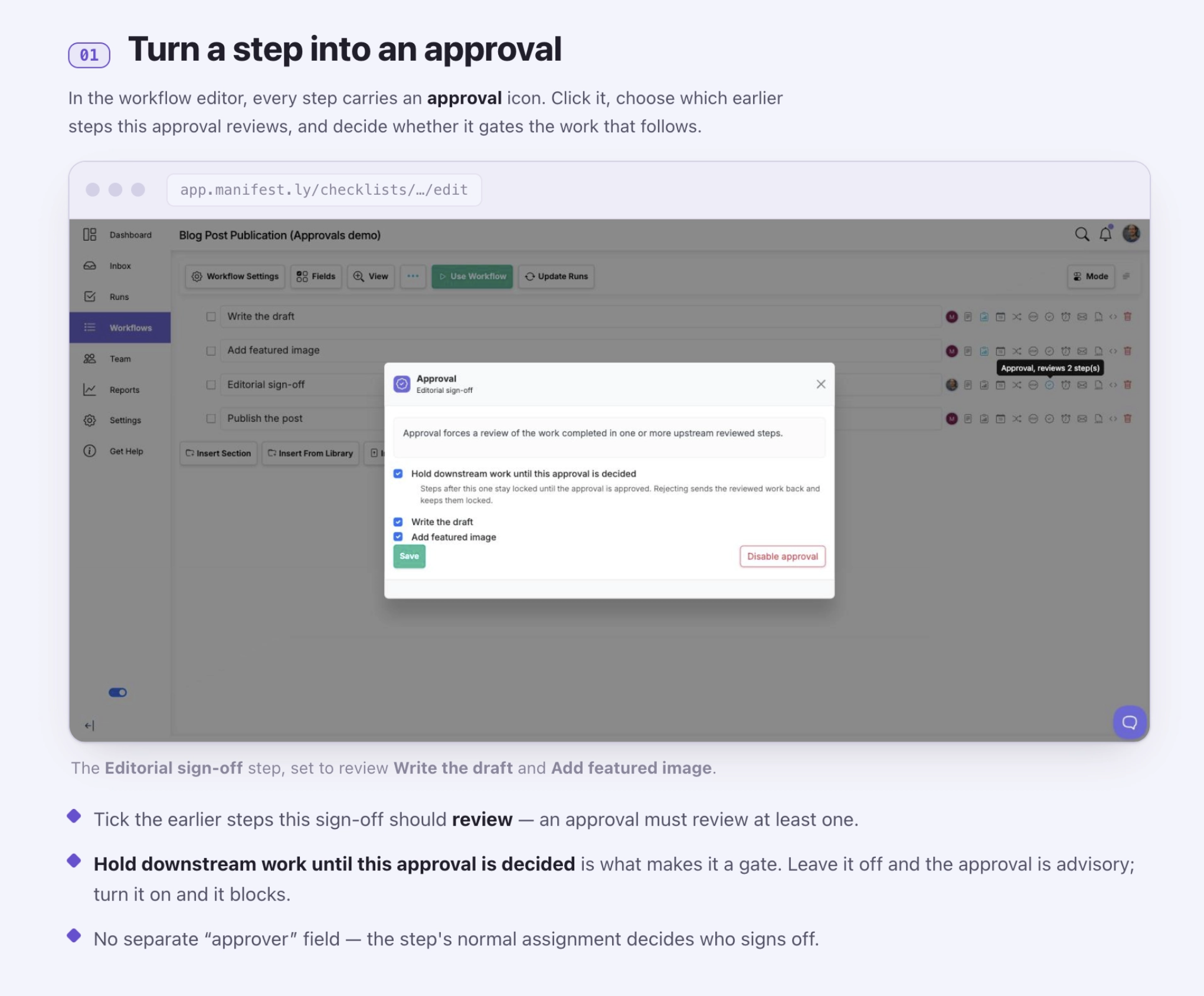
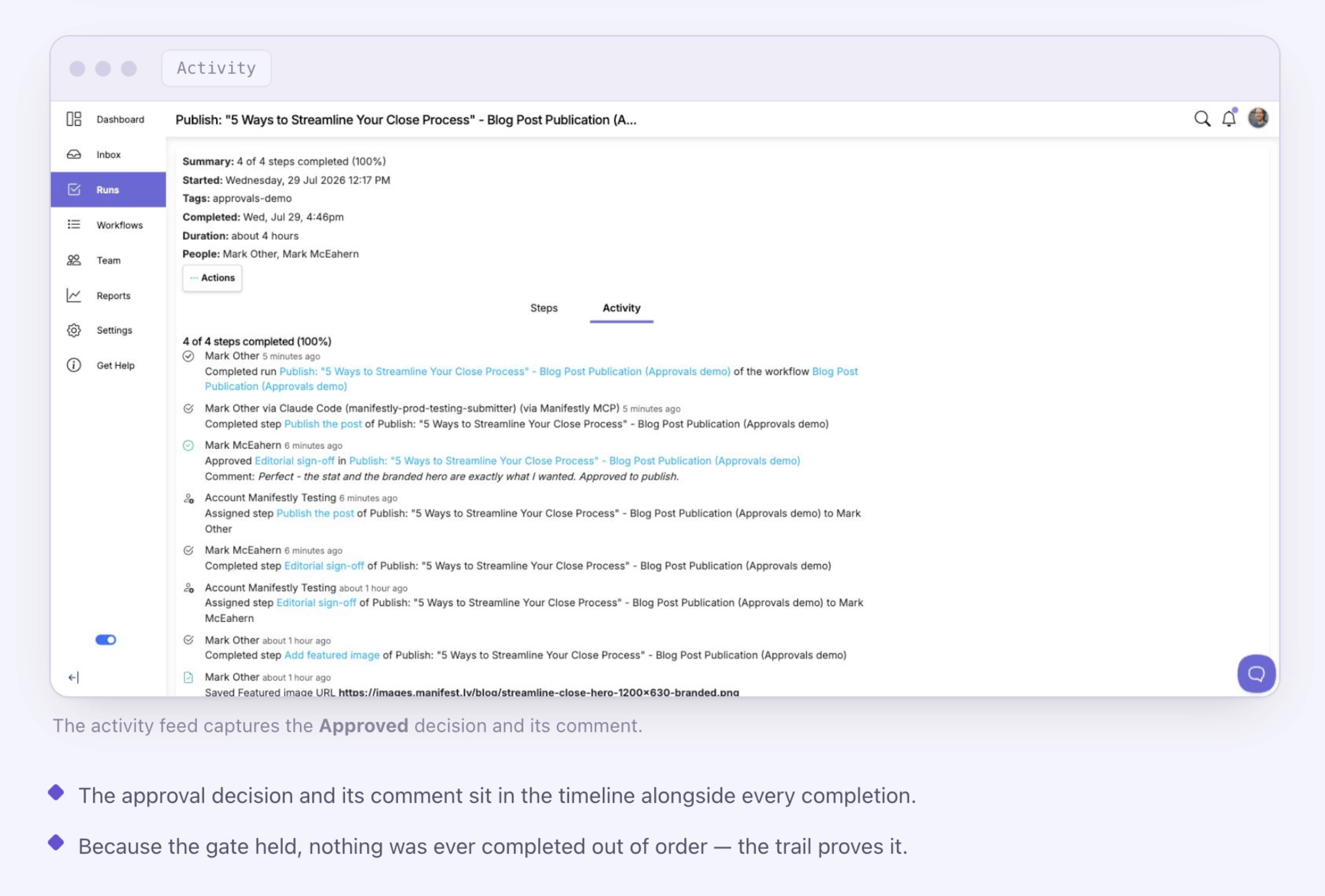
Turn any step into an approval, choose which earlier steps it should review, and assign it to the owner of that decision with a due date. Turn on “hold downstream work until this approval is decided” and every step behind it stays locked until the decision lands, which is what makes the approval a real gate rather than an advisory note. When the reviewed work is complete, the run reaches the approval and holds the work behind it. The owner reviews everything in one view, who did what and when, with the content right there, and either approves it, which unlocks the work waiting behind the gate, or rejects it with a required comment. A rejection reopens the reviewed steps and routes them back to the people who own them, while the downstream work stays locked. There is no new task to chase; the same steps reopen carrying their history and the reviewer’s comment, and once they are marked done again the approval returns to pending for another look. That loop repeats until the work is approved. Every decision, the owner, the timestamp, and the comment, lands in the run’s audit trail alongside the rest of the record.
One rule the system always enforces: whoever completed the reviewed work cannot be the one to approve it. And if that work changes after it is approved, the sign-off reopens on its own, so nobody is left signed off on a moving target.
Because the approval lives inside a recurring workflow, it runs every time the workflow runs. Set it up once on your onboarding, compliance review, or vendor process, and the sign-off happens on schedule with the rest of the steps, owned and recorded, without anyone rebuilding it. Need more than one sign-off? Add another approval step for the next reviewer.
Approval workflow examples you can run
Approvals fit any recurring process where a person has to formally own the go or no-go. A few of the most common:
Time-off and PTO requests. An employee submits the request, their manager approves or rejects it, and the decision is recorded against the run instead of lost in a calendar invite.
New-hire offers. Before an offer goes out, the right people sign off. Each approval is captured, so there is a clear record of who greenlit the hire.
Expense and discount authorization. Spend or a discount above a threshold routes to a manager for approval before it is committed, with the decision on the record.
Vendor and supplier onboarding. A new vendor clears the required internal sign-offs before they are set up, so nothing gets provisioned without approval. See the Vendor Onboarding template.
Access and security reviews. Access grants and periodic reviews route to an owner who signs off, producing exactly the evidence an access review is supposed to generate. See the Annual Compliance Review template.
Browse the full template library to add an approval to a process you already run.
Approvals and AI: the human checkpoint
As AI takes on more of the work inside a run, an explicit human approval matters more, not less. It is the checkpoint that keeps speed from turning into risk.
Through Manifestly’s MCP server, an assistant like Claude can build a workflow, add it to Manifestly, assign it, and start the run. Approvals is the human sign-off that keeps that accountable: the model can move the front of the work forward, and a named person still owns the decision to let it proceed. And the rules are identical whoever is acting, a step completed by an agent through the MCP server lands in the same trail, under the same gate, as any human decision. AI makes the work faster. The approval makes sure the back end still runs to standard.
Get started
Add an approval to a workflow you already run, or start a free trial and build one from a template. Start with Manifestly.
Frequently asked questions
What is an approval workflow?
An approval workflow is a defined path a request or piece of work follows to be reviewed and signed off by an authorized person before it can proceed. The sign-off is a real step owned by a named person, which waits for their decision and records the outcome.
What is the difference between an approval and a task?
A task defines work that someone needs to do. An approval defines a decision that someone needs to own before the work can continue. An approval gates progress; a task does not.
How do you build an approval process?
Decide where sign-off is required, add an approval at that point and choose which earlier steps it reviews, assign it to the owner, turn on the hold so it blocks progress until a decision is made, and keep a record of every decision with its required comment. In Manifestly, that is a step you add to a workflow.
Do approvals work for recurring work?
Yes. In Manifestly, an approval added to a recurring workflow runs every time that workflow runs, so scheduled processes like onboarding, compliance reviews, and vendor setup include sign-off automatically.
Can the same person do the work and approve it?
No. Whoever completed the reviewed work cannot sign off on it, so maker and checker are always two different people. The rule is enforced by the system, on the web, the API, and through MCP alike.
Is there an audit trail of approvals?
Yes. Every approval decision in Manifestly is timestamped and attributed, with any comments, and stored in the run’s exportable audit history.