
New Feature: Auto-Close Runs After a Set Period
January 28, 2026
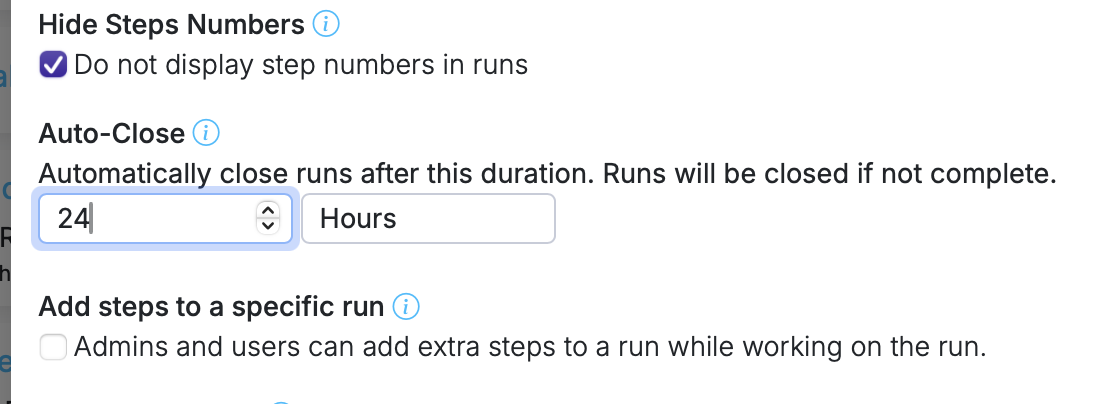
Every team has runs that go stale. Maybe a client never responded, a process was abandoned, or someone forgot to close out a run they finished informally. Those leftover runs clutter the dashboard and make it harder to see what's genuinely in progress.
Auto-close solves this by letting you set a time limit on any workflow. When a run exceeds that limit, Manifestly closes it automatically in the background.
Setting it up
- Open Workflow Settings for any workflow.
- Set an Auto-Close duration — for example, 7 days, 24 hours, or 30 days.
- Every run created from that workflow now gets an auto-close date based on when it was started.
That's it. No recurring cleanup task, no manual sweeps through old runs.
What happens when a run auto-closes
- The run is closed automatically and marked in the activity log so you know it wasn't closed by a person.
- If someone reopens the run, the auto-close timer resets from that point.
- The run header displays a badge showing when auto-close will happen.
Visibility
Auto-close duration is visible in the workflow popover on the workflows list, so your team always knows which workflows have a time limit and what it is. The auto-close date is also available via the API — auto_close_at and auto_closed_at are included in run responses, and open_duration in workflow responses.
Why this matters
A clean dashboard isn't just about aesthetics. When stale runs accumulate, they obscure the runs that actually need attention. Auto-close keeps things tidy without anyone having to remember to do it.
See the full feature details for more.