
New Feature: Collect Workflow Feedback Directly from Runs
March 26, 2026
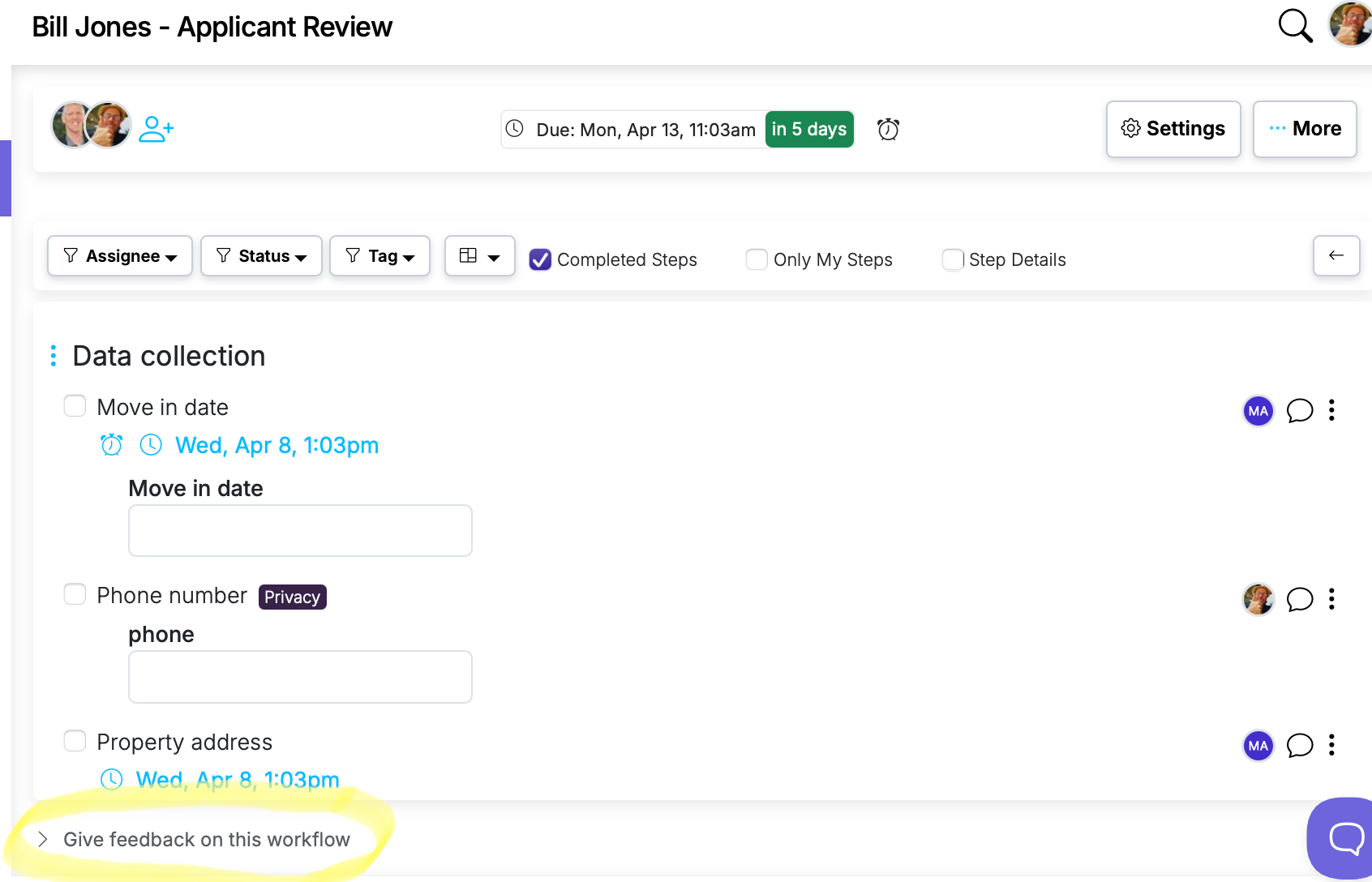
The best workflow improvements come from the people who use them every day. But gathering that feedback usually means a separate channel — a Slack message, an email, a conversation that gets forgotten. By the time it reaches the person who maintains the workflow, the context is gone.
The new workflow feedback setting puts a feedback option right on the run, so suggestions happen in the moment and land exactly where they're useful.
How it works
- Open Workflow Settings and enable Display Give Feedback on runs.
- A "Give feedback on this workflow" link appears at the bottom of every run for that workflow.
- Clicking it opens a text field where the user can type their suggestion and submit.
Feedback is saved as a comment on the workflow, visible in the workflow's activity log. The workflow owner or admin can review it alongside other workflow activity and decide whether to act on it.
Design details
- The feedback form is compact and collapsed by default — it doesn't clutter the run view.
- Users can submit feedback multiple times on the same run.
- Guest users do not see the feedback option.
Why this matters
Workflows improve when there's a low-friction way to capture what's working and what isn't. People are most likely to share a suggestion right after they hit the pain point — not later when someone asks them in a meeting. This feature makes feedback a natural part of running the workflow, not a separate task.
It also creates a documented record of suggestions tied to the workflow itself, so nothing gets lost in chat history or buried in an email thread.
See the full feature details for a video walkthrough.